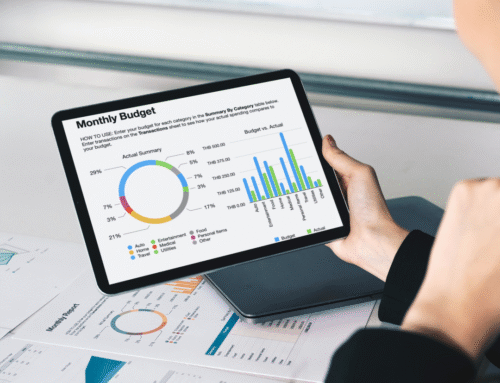

Financial management can be a daunting task for small business owners, often leading to stress and confusion. Investing in the right financial planning tools can streamline this process, helping to keep track of expenses, manage cash flow, and prepare for growth. The best financial planning tools offer intuitive features designed specifically for small business needs, ensuring that owners can focus more on running their business rather than grappling with complicated finances.
With various options available, small business owners should explore tools that simplify budgeting, reporting, and forecasting. Many applications provide essential integrations with other software, making it easier to consolidate financial data. These tools can empower owners to gain clear insights into their financial health and make informed decisions.
The right financial planning tools not only save time but also enhance financial accuracy. As small businesses continue to face challenges in a competitive landscape, leveraging these resources can provide a significant advantage. Investing time in finding suitable solutions can lead to more strategic growth and stability in the long run.
Core Features of Financial Planning Tools
Financial planning tools offer essential functionalities that assist small business owners in managing their finances effectively. Key features include budgeting capabilities, cash flow management, financial forecasting, and integrations with accounting software.
Budgeting Capabilities
Effective budgeting is crucial for small businesses to allocate resources wisely. Financial planning tools typically provide features that allow users to create, adjust, and track budgets in real-time.
Users can categorize expenses and set spending limits for various departments or projects. Features such as variance analysis help identify discrepancies between budgeted and actual spending. This allows for timely adjustments to avoid overspending.
Many platforms also offer templates and budgeting wizards to simplify the budgeting process, making it accessible even for users with limited financial expertise. Additionally, the ability to forecast future budgets based on historical data enhances accuracy.
Cash Flow Management
Managing cash flow is vital for small businesses to maintain operations. Financial planning tools include functionalities that track cash inflows and outflows, ensuring business owners can anticipate liquidity needs.
By visualizing cash flow through graphs and reports, users can gain insights into periods of potential shortages. Alerts for upcoming bills and receivables contribute to proactive management, minimizing the risk of cash shortfalls.
Some tools provide scenario planning features, allowing users to model different cash flow scenarios. This capability helps businesses prepare for unexpected changes in revenue or expenses, ensuring they remain financially agile.
Financial Forecasting Functions
Financial forecasting assists small business owners in projecting future financial performance. Tools often utilize historical data and current market trends to produce robust forecasts.
These forecasts can include revenue predictions, expense estimates, and profit margins. Users benefit from detailed reporting features that outline assumptions and variables affecting future performance.
Incorporating what-if analysis enables quick evaluation of various business scenarios. This helps users make informed decisions about investments, cost-cutting, and growth strategies.
Integrations with Accounting Software
Seamless integration with accounting software is a critical feature of financial planning tools. This connectivity allows for automatic data synchronization, reducing manual entry errors and saving time. Businesses can link tools like QuickBooks, Xero, or FreshBooks to access real-time financial data, enhancing reporting accuracy. It also simplifies tracking of income and expenses by pulling data directly from accounts.
Many platforms offer API capabilities, facilitating custom integrations tailored to specific business needs. This flexibility ensures that small business owners can maintain cohesive financial operations across different software solutions.
Popular Financial Planning Tools for Small Business Owners
Small business owners often require tailored financial planning tools that cater to their specific needs. Several platforms are designed to assist in budgeting, cash flow management, and forecasting.
Cloud-Based Solutions
Cloud-based financial planning tools offer accessibility and real-time collaboration, which are essential for small businesses. Platforms like QuickBooks Online, Xero, and FreshBooks enable business owners to manage invoices, track expenses, and handle reporting from anywhere with internet access.
These tools also integrate with various banking and payment platforms, streamlining processes. QuickBooks Online is particularly noted for its user-friendly interface and comprehensive reporting features, while Xero stands out for its excellent customer service.
Additionally, cloud solutions minimize hardware costs and provide automatic updates, ensuring that small businesses always have access to the latest features and security measures.
Desktop and Mobile Applications
Desktop and mobile applications provide robust options for financial planning, allowing small business owners to manage finances on the go. Applications such as Microsoft Excel and Wave Accounting offer flexibility in creating custom budgets and financial reports.
Microsoft Excel is favored for its powerful spreadsheet capabilities, enabling detailed financial modeling. Business owners can use templates for cash flow, profit and loss statements, and budget tracking.
Wave Accounting is a free option that provides invoicing, expense tracking, and basic accounting features, making it appealing for startups. Mobile versions ensure that owners can access financial data anywhere, maintaining oversight of financial activities.
Industry-Specific Tools
Industry-specific tools address the unique requirements of different sectors. For instance, Buildertrend caters to construction businesses, offering project management with financial planning features tailored to contractors.
In the retail sector, platforms like Shopify provide built-in financial tracking and reporting tools directly within their e-commerce solutions. This integration helps owners monitor sales and expenses without needing separate software.
Similarly, Gusto offers payroll and HR solutions specifically for small businesses, which include budgeting for employee-related expenses. These specialized tools enhance efficiency and ensure compliance within industries.
Comparing Financial Reporting Features
Effective financial reporting tools provide essential features that help small business owners analyze their financial data. Key aspects include custom report generation, data visualization options, and automated compliance support.
Custom Report Generation
Custom report generation enables users to create tailored financial reports that meet specific business needs. This feature allows small business owners to select the data, time frames, and formats they prefer.
Common functionalities include:
- Template Options: Pre-designed templates can expedite the process.
- Dynamic Filters: Users can filter data by categories such as revenue, expenses, or departments.
This capability aids businesses in tracking performance metrics and making informed decisions based on detailed insights.
Data Visualization Options
Data visualization transforms complex financial data into understandable graphical formats. This feature is crucial for small business owners looking to quickly interpret their financial standing.
Tools often include:
- Charts and Graphs: Bar graphs, line charts, and pie charts can illustrate trends and comparisons effectively.
- Dashboards: Real-time dashboards offer at-a-glance summaries of key metrics.
Effective visualization helps identify patterns, potential challenges, and opportunities, facilitating strategic planning.
Automated Compliance Support
Automated compliance support is an essential feature for small businesses to ensure adherence to financial regulations. This function minimizes the risk of errors and late submissions that could lead to penalties.
Key aspects include:
- Real-Time Updates: Tools that automatically adjust for changes in tax laws and reporting requirements.
- Audit Trails: Comprehensive logs help maintain transparency and accountability.
This feature not only saves time but also instills confidence that financial reports comply with regulatory standards.